Showing posts with label How to. Show all posts

Thursday, September 26, 2013

Fix the Guest Additions installation on OpenSUSE 12.2

| Thursday, September 26, 2013 | 0 comments

If you were failed to get the Guest Additions installed and run on OpenSUSE 12.2, this post will try to help you to fix it. Previously, I got the following error when I tried to install Guest Additions on OpenSUSE 12.2. I am using Virtualbox 4.2.2 on a Windows 7 computer. I got the following error:

Readmore..

Tuesday, October 16, 2012

How to install Cinnamon on OpenSUSE 12.3

| Tuesday, October 16, 2012 | 4 comments

This OpenSUSE tutorial will show you How to install Cinnamon on OpenSUSE 12.3. Cinnamon is currently my favorite desktop and now I want to install Cinnamon 1.6.1 on my OpenSUSE 12.3. Even its still in development version (Milestone 0), this OpenSUSE 12.3 is quite usable.

Steps to install Cinnamon on OpenSUSE 12.3

In this tutorial, I install Cinnamon using 1 click install. Which means, no command typing required. Cinnamon 1.6.1 already available in OpenSUSE repository. 

Cinnamon 1 Click Install OpenSUSE 12.3

Readmore..

Monday, October 15, 2012

How to install Virtualbox on OpenSUSE 12.2

| Monday, October 15, 2012 | 3 comments

How to install Virtualbox on OpenSUSE 12.2

This tutorial is going to show you how to install Virtualbox on OpenSUSE 12.2. Installing Virtualbox on OpenSUSE is quite straight forward. Oracle developer already provided the binary installation file of Virtualbox for OpenSUSE.

Steps to install Virtualbox on OpenSUSE 12.2

Step 1.Download and add Virtualbox repository to OpenSUSE 12.2
cd /etc/zypp/repos.d
wget http://download.virtualbox.org/virtualbox/rpm/opensuse/11.4/virtualbox.repo

Readmore..

Saturday, October 6, 2012

Create OpenSUSE Live USB from Windows

| Saturday, October 6, 2012 | 5 comments

Create OpenSUSE Live USB from Windows 

This tutorial will show you how to create OpenSUSE Live USB from a Windows machine. On this tutorial, I am trying to create OpenSUSE 12.3 Milestone 0 Live USB. You can grab this development version of OpenSUSE 12.3 ISO for testing. 
To create OpenSUSE Live USB from Windows machine, we need the following items:

Steps to create OpenSUSE Live USB from Windows

A. Run ImageWriter.exe 

Readmore..

Wednesday, October 3, 2012

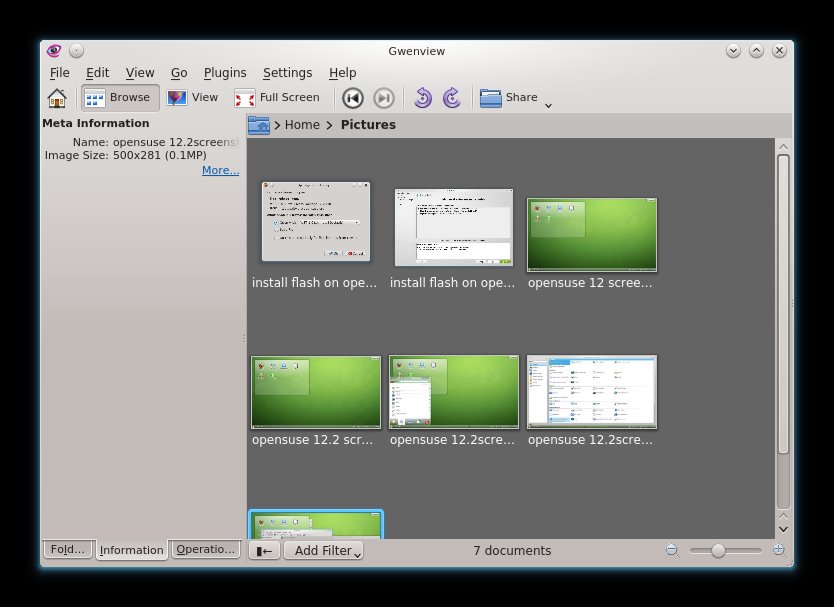
Resize images on OpenSUSE 12.2 using GwenView

| Wednesday, October 3, 2012 | 0 comments

Resize images on OpenSUSE 12.2 using GwenView

This tutorial will show you how to Resize images on OpenSUSE 12.2 using GwenView. For a Blogger like me, resizing images is a common task that should be done quickly and in professional way. There are many image editor or other graphic applications for Linux that provide image resizing feature. But, for me, GwenView is a better one. It automatically installed by default on OpenSUSE 12.2.

How to Resize images on OpenSUSE 12.2 using GwenView

To resize and image, open GwenView and browse to your images.

Readmore..
Related Posts Plugin for WordPress, Blogger...
 
© Copyright 2010. opensuse12.blogspot.com . All rights reserved | opensuse12.blogspot.com is proudly powered by Blogger.com | Template by o-om.com - zoomtemplate.com